
The STR Host’s Guide to Security Cameras: What to Buy, Where to Place It, and How to Use It
The STR Host’s Guide to Security Cameras: What to Buy, Where to Place It, and How to Use It
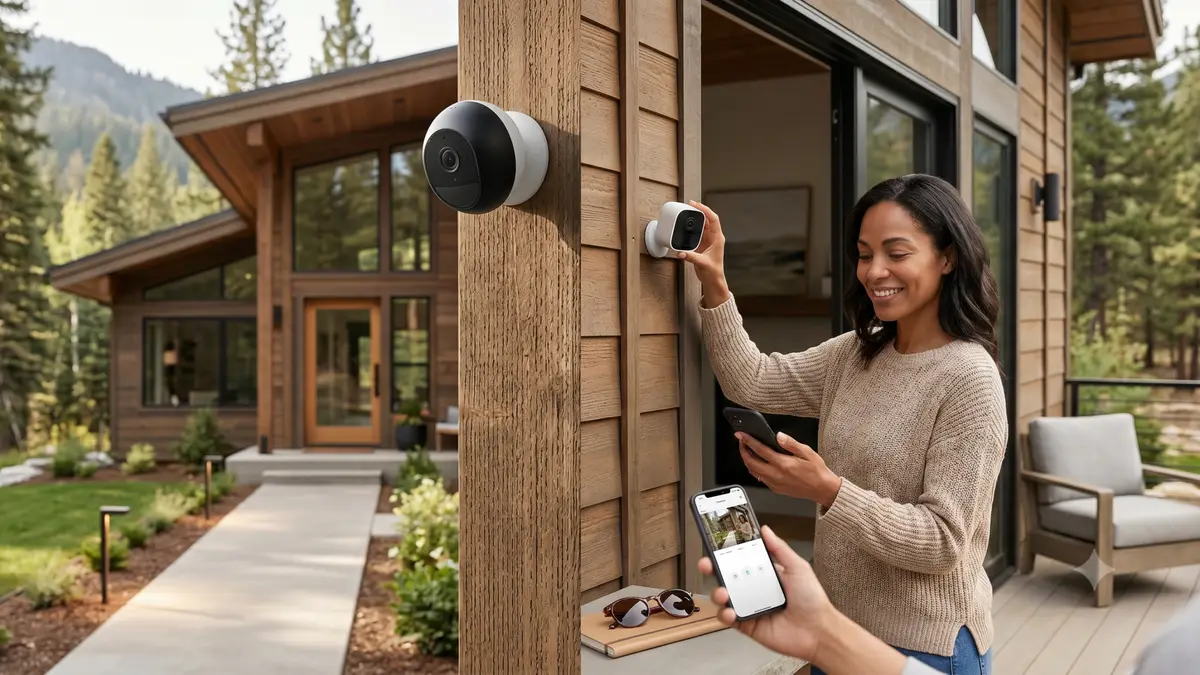
Most short-term rental hosts buy a security camera for one reason: peace of mind. What they discover over time is that a well-placed camera with the right setup does far more than that. It documents guest count violations. It catches unauthorized pets. It confirms check-ins remotely and helps housekeeping teams know when a turnover has started.
Done right, a security camera is not just protection. It is part of your operating system.
📋 Download the free STR Camera Checklist
The Three Features Every STR Camera Needs
Remote cloud access is not optional. You need to be able to pull footage from your phone, from anywhere, without being on-site. Local SD card storage means physically retrieving the card to review anything, which is not practical for a remote operation.
Motion-activated recording keeps storage manageable and makes footage review fast. One installation note: place the camera close enough to the entry point that motion actually triggers when a guest arrives.
Easy installation matters at scale. Wired cameras are more reliable over time. If running cable is not practical, battery-powered with a solar panel is the next best option, especially in warmer climates where solar efficiency is consistent year-round.
Four Cameras Worth Considering
Ring is one of the most widely used doorbell and outdoor cameras on the market. Easy to install, strong app, integrates with Google and Alexa. A subscription is required for cloud storage.
Google Nest offers solid hardware with a familiar interface. Tim runs these on 10 properties. The Nest Aware subscription is needed for cloud storage.
Arlo offers a broad range from entry-level to premium. It is flexible and well-supported across a range of budgets and use cases.
Reolink Argus 3 with a solar panel is Tim’s current top pick for new properties. Battery-powered with a solar panel that keeps it charged indefinitely. Around $120-150 on Amazon. Cloud storage is approximately $4 per month for up to 5 cameras. The mobile app supports easy team sharing.
How to Use Cameras Operationally
Guest count verification. Two guests on the reservation, six at the door: the camera documents it. With extra-guest language in your house rules, you can submit a resolution through Airbnb to recover the additional fee.
Unauthorized pet documentation. Service animals are protected and cannot be charged for. All other unauthorized pets can be documented through camera footage and processed through the resolution center.
Check-in confirmation. When a guest messages saying they cannot get in, you can pull the camera feed to verify what is actually happening on the ground, without dispatching anyone.
Housekeeping coordination. A guest leaving with luggage visible on camera tells your housekeeping team the turnover clock has started, removing guesswork from scheduling.
Guest protection. If a guest’s car is broken into in your parking area, camera footage gives them documentation to submit to their insurance carrier.
The Disclosure Requirement You Cannot Skip
Every camera at your property must be disclosed. Tick the security devices box in your Airbnb listing settings, mention camera locations in your house rules, and reference them in your welcome message.
No camera can record any interior space, even partially. A doorbell camera that captures the inside of the property when the front door swings open can disqualify your footage in a dispute. Position cameras to cover exterior entry points only.
The Bottom Line
You do not need an expensive setup to run cameras effectively. A basic battery-powered unit with cloud access, motion detection, and good outdoor build quality covers most of what you need. What matters most is placement, disclosure, and knowing how to use the footage when it counts.
Tim’s recommendation for new properties: Reolink Argus 3 with a solar panel. Reliable, affordable, and easy to manage across a portfolio.
Want help setting up your STR for long-term performance? The team at Corzly manages properties across multiple markets and helps operators build the systems that drive results. Reach out here.
This article was inspired by THIS EPISODE of the Short-Term Rental Richest podcast.
Want this handled for you?
Corzly runs short-term rental operations end to end, so you can grow without the day-to-day. See what that looks like for your properties.
Book a strategy call